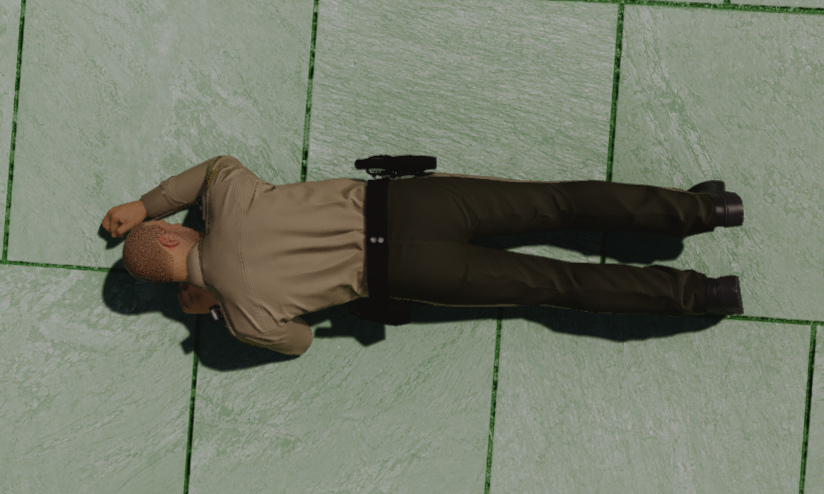
MFPD-Stance is a crouch and prone system resource featuring realistic animations, full walkstyle memory, and double-tap crouch detection. Designed for FiveM roleplay servers that want a polished, immersive stance system without any conflicts with existing walk animations or frameworks.
Preview of functions: Click here to watch!
Configuration & Architecture
- Centralized Configuration: All adjustable values are managed through
config.lua. This includes the crouch keybind and double-tap detection window, allowing full customization without touching the core scripts. - Universal Walkstyle Detection: Walkstyles are tracked natively by polling the ped's active movement clipset directly, no dependency on any specific emote resource. Works with any emote script, framework clothing scripts, or any resource that sets movement clipsets.
Core Features
- Walkstyle Memory: The resource never resets the player's walkstyle on its own. The active clipset is read directly from the ped and stored before entering crouch or prone. Upon exiting, it is cleanly re-applied — so any custom walk animation set by any resource will always be restored exactly as it was.
- Double-Tap Crouch: A single press of Left Ctrl triggers vanilla GTA stealth as normal. A double-tap within the configurable time window activates the custom crouch stance with dedicated crouch and strafe animation sets. Exiting crouch is instant on any single press.
- Prone System via
/prone: Players enter prone using the/pronecommand. The resource intelligently selects the entry animation based on context — a dive forward if the player is running or sprinting, a shorter get-down transition if coming from crouch, or a full stand-to-prone animation otherwise.
- Realistic Prone Animations: Full animation coverage for every prone state:
- Smooth entry animations from standing, crouching, and running/sprinting
- Idle hold animations while lying face-down or face-up
- Directional crawl animations for moving forward and backward while prone
- Strafe and rotation animations for moving left and right while prone
- Clean exit animations with a kneel-to-stand transition on get-up
- Side-Flip with Space: While prone, pressing Space (Jump) flips the player between face-down and face-up positions. Each flip plays a dedicated transition animation and smoothly adjusts the player heading for a natural-looking roll.
- Safe State Guards: Prone and crouch are automatically cancelled if the player dies, enters water, gets into a vehicle, starts falling, or is ragdolled. The resource checks all these conditions every tick during the prone loop to ensure no stuck states.
- Action Mode Compatibility: When entering crouch, the resource softly resets action mode if it is active and the player is not aiming or armed — preventing crouch animations from being blocked by combat stances.
Keybinds
- Left Ctrl (double-tap) - Toggle custom crouch on / off
- Left Ctrl (single tap) - Vanilla GTA stealth (unchanged)
- /prone - Enter or exit prone
- W / S - Crawl forward / backward while prone
- A / D - Rotate or strafe left / right while prone
- Space - Flip between face-down and face-up while prone
Configuration Highlights
- CrouchKey: Any FiveM control index. Default is
36(Left Ctrl). Full control list available at docs.fivem.net. - DoubleTapWindow: Time in milliseconds within which the second tap must occur to register as a double-tap. Default is
300ms.